
Product Overview & Home
Product Overview
LCC Scene Editor is a desktop application for editing and viewing 3DGS projects and scenes. Work is organized around "projects", which support importing and managing project assets, creating and maintaining editing data (annotations, measurements, viewpoints, 3D Layouts, scene reports, etc.) in a 3D scene, and publishing results to an online viewer for sharing and delivery.
Starting from V2.2, multiple LCC models can be imported into the same project, with spatial grouping for multi-scene arrangement and instant switching.
Download & Installation
Home Page
Double-click to open LCC Scene Editor, or enter the Editor home page from LCC Studio → My Projects.
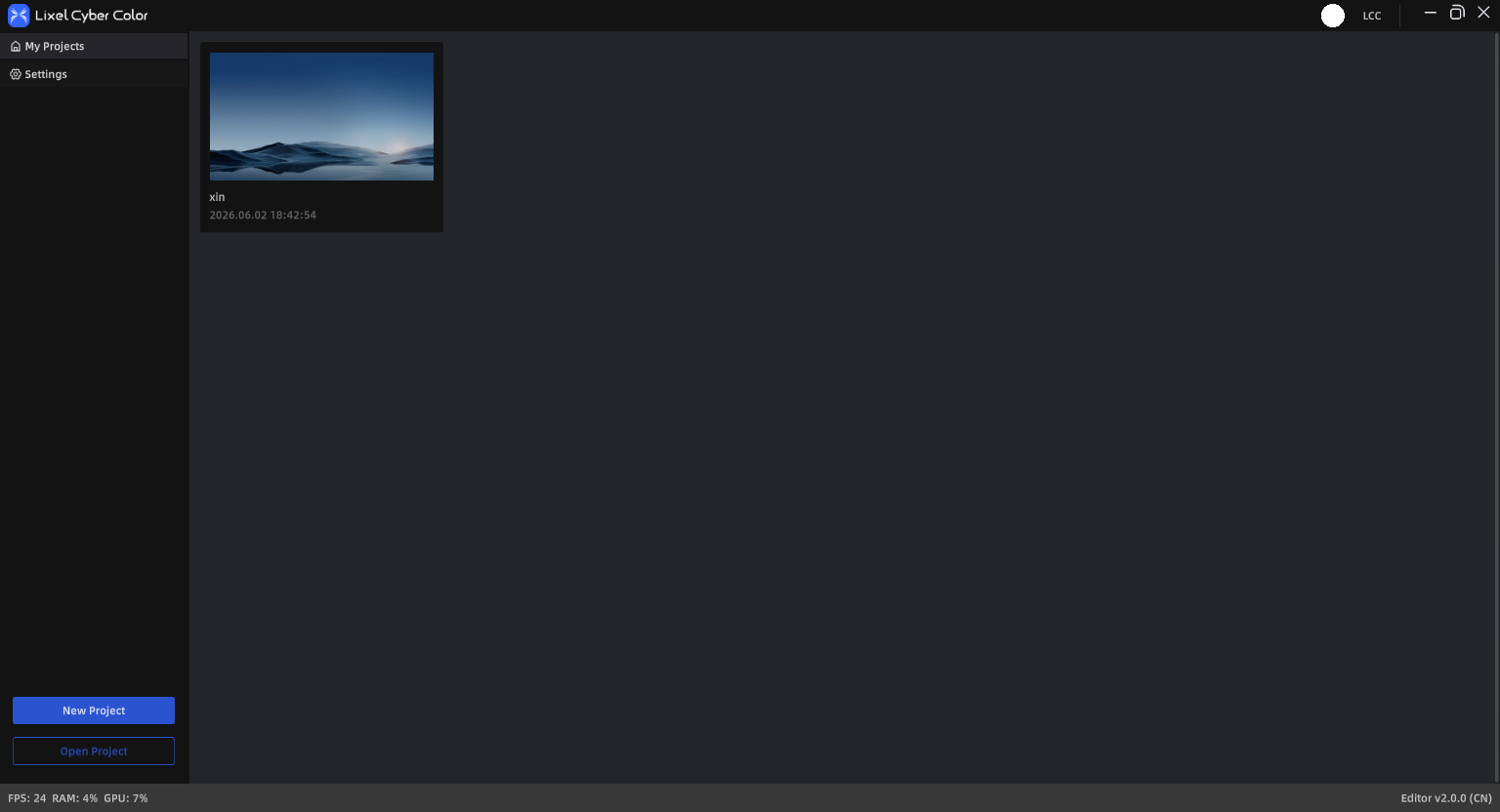
LCC Scene Editor Home
My Projects
My Projects centralizes all created projects and displays them as cards.
The following actions are available from a project card or list menu:
General Actions:
- View: Open the project in preview mode
- Edit: Open the project in edit mode
- Rename: Change the project name
- Open Folder Location: Open the project directory
- Delete: Delete the project and its folder contents
Unpublished Projects:
- Publish: Publish the project to the cloud and generate a Web Viewer link for sharing
Published Projects:
- View Online: Open in Web Viewer
- Update Publish: Sync the latest content to Web Viewer
- Publish Management: Manage published links and permission settings
New Project
- Click "New Project" on the home page
- Enter a project name (up to 60 characters; supports Chinese, letters, numbers, "_" and "-")
- Select a storage path
- Confirm to create and enter the editor
Open Project / Model
- Open Project: Resume editing the same project's models and editing data (annotations, measurements, viewpoints, etc.)
- Open Model File: Open a single model for viewing or temporary editing. For long-term maintenance, use "Save" to generate a project.
Home Page Settings
The top-right corner of the home page provides the following entries:
- Language: Supports Chinese, English, Japanese, Traditional Chinese, Italian, German, Spanish
- About: Get the latest version installer link and tutorials; submit feedback to the LCC team
- Data & Privacy: View and manage data collection settings
Note: Language changes take effect after re-entering the application.